Cb1 Tutorial - Automated Workflow
End-to-end automated workflow in < 2 hours
- Time requirement: 1.9 h compute time | 5 min manual time
- Goal: Trigger an automated workflow for end-to-end processing of the Cb1 receptor (500 micrographs).
This tutorial will walk you through how to trigger an automated workflow for the processing of Cb1
Creating a Project
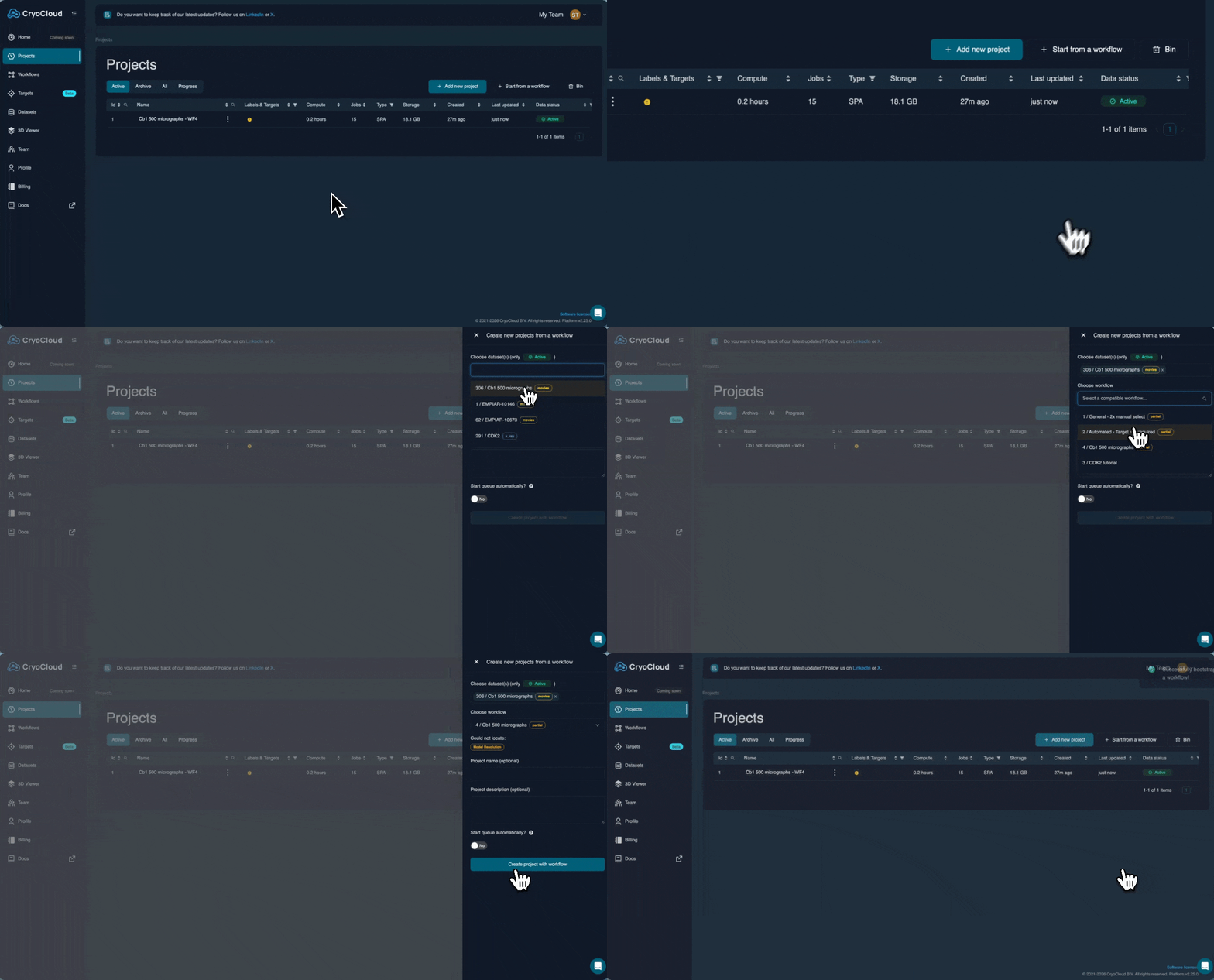
To start, you need to create a new project. Navigate to the Project view by clicking on the Project tab in the left sidebar. We are going to create a project from a pre-existing workflow. To do this, click "Start from a workflow" at top right of the project table.
From the dataset dropdown, select "Cb1 500 micrographs"
From the workflow dropdown, select "Cb1 500 micrographs"
If you like, you can give the project a name.
When ready, click "Create project with workflow". There will be a short loading time whilst the project is prepared.
Triggering the workflow
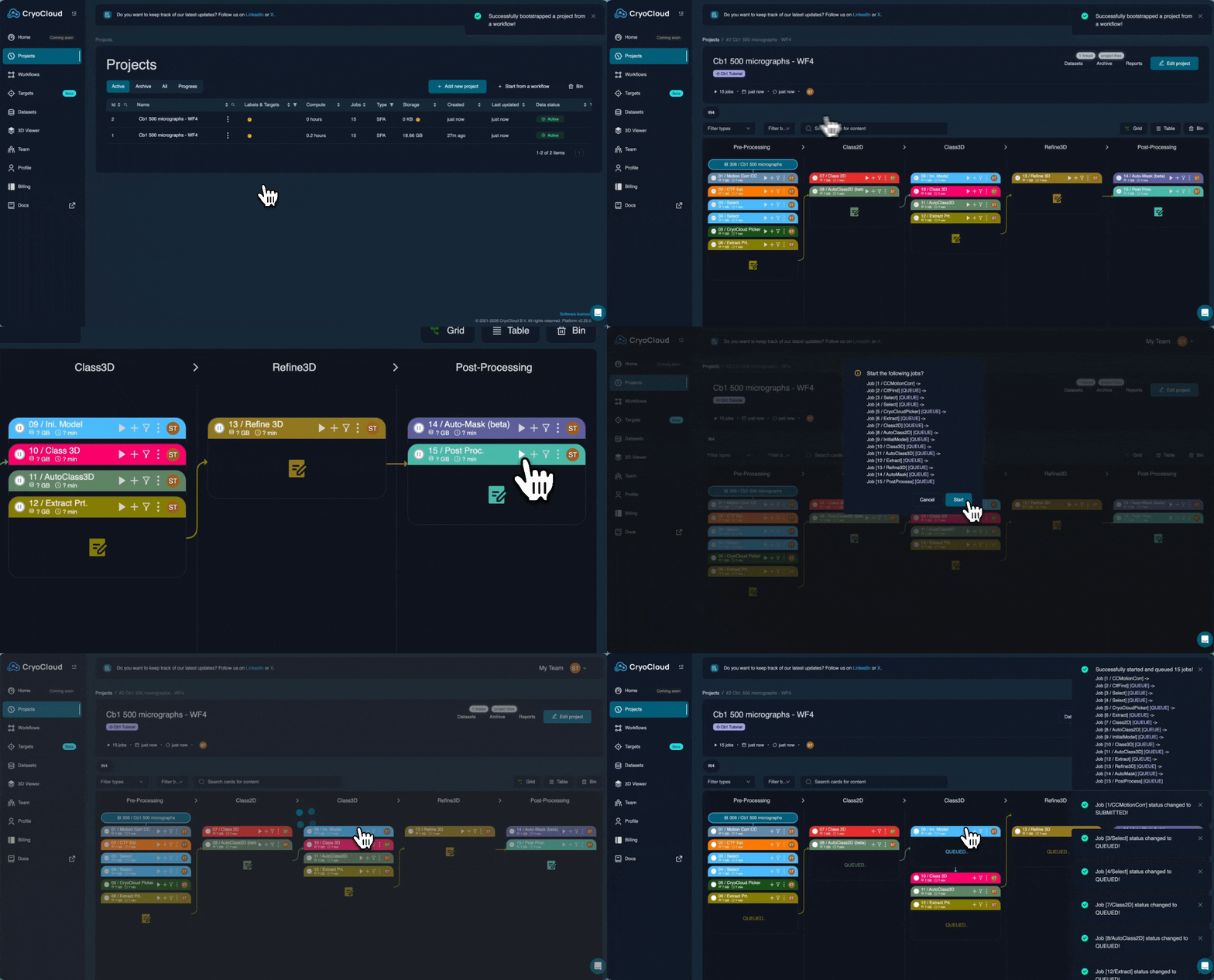
Enter into the project you just created by clicking on its name in the project table.
You will see a sequence of jobs populated based on the pre-defined workflow. To trigger the full workflow, click the play button on the top right of the final job card in the sequence. The app will tell you which jobs are due to be queued. Click the start button to initiate the workflow.
The entire workflow will complete in less than 2 hours. Check back periodically to view results for the completed jobs.